
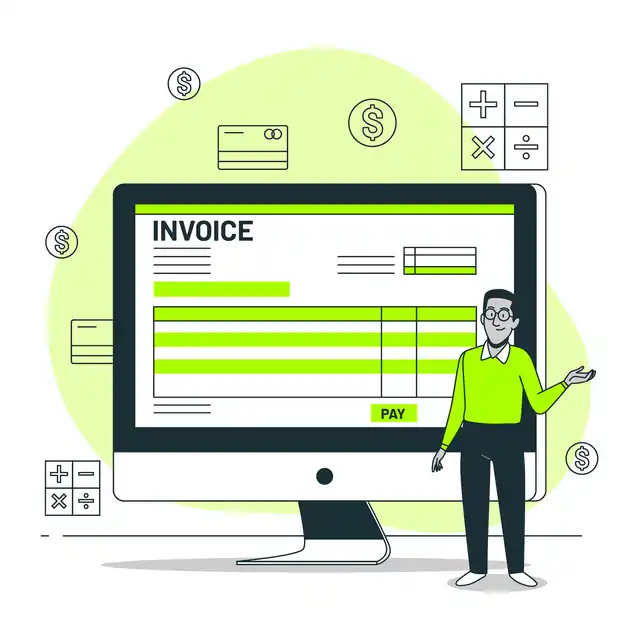
Choosing Invoicing Software for a Small Business
Compare invoicing tools against your billing process, accounting requirements and the ability to retrieve your records.
On this page
- Choose invoicing software from the records you need
Invoicing software should support an accurate record of what was supplied, what was billed and what remains unpaid. Begin with your business process and local invoicing requirements rather than choosing the product with the longest feature list. Tax and record-retention rules depend on where the business operates; confirm them with an appropriate local source or adviser. - Separate the invoice from the agreement
An invoice records a charge; it does not repair an unclear scope or a disputed delivery. Keep it connected to the relevant quote, purchase order, contract or accepted milestone. Use descriptions that a customer’s finance team can recognise without needing access to every project conversation. - Test the complete payment workflow
Use constructed customer data to create a sample invoice, record a partial payment, issue an adjustment and export the transaction history. Check whether the tool preserves a sensible audit trail instead of allowing issued records to be silently overwritten. - Example: a milestone-based design project
In a fictional project, a freelancer bills an approved design milestone and later a final production milestone. Each invoice identifies the project, the milestone and the agreed reference. The freelancer records payments against the correct invoice rather than treating every bank deposit as interchangeable revenue. - Evaluate reminders and customer experience
A reminder should be accurate, polite and sent to the appropriate contact. Confirm payment records before sending it. Avoid repeated automatic notices after a customer has paid or raised a genuine dispute. Automation needs an owner who can pause it and investigate mismatches. - Compare total operating effort
Include subscription costs, payment-processing charges where applicable, setup, reconciliation and support time. Check the current product terms instead of relying on an old “free forever” claim. Confirm that the chosen plan covers the features you tested. - Put the guide to work
- Questions readers ask
- Reference routes and further reading
- Continue with a relevant guide
Choose invoicing software from the records you need
Invoicing software should support an accurate record of what was supplied, what was billed and what remains unpaid. Begin with your business process and local invoicing requirements rather than choosing the product with the longest feature list. Tax and record-retention rules depend on where the business operates; confirm them with an appropriate local source or adviser.
List your ordinary transactions: project deposits, milestone invoices, ongoing services, reimbursements or credit adjustments. Identify the currencies, payment methods and customer details you actually need. A tool that suits one freelancer may be unsuitable for a business with multiple entities or more complex reporting.
Separate the invoice from the agreement
An invoice records a charge; it does not repair an unclear scope or a disputed delivery. Keep it connected to the relevant quote, purchase order, contract or accepted milestone. Use descriptions that a customer’s finance team can recognise without needing access to every project conversation.
Define the approval path before work begins. Ask whether the buyer requires a purchase-order reference or a particular submission route. An otherwise accurate invoice can be delayed if it reaches the wrong person or omits an agreed reference.
Test the complete payment workflow
Use constructed customer data to create a sample invoice, record a partial payment, issue an adjustment and export the transaction history. Check whether the tool preserves a sensible audit trail instead of allowing issued records to be silently overwritten.
Inspect exports before relying on them. Can you recover customer records, invoice lines, payment allocations and attachments in usable formats? An attractive PDF is not enough if the underlying information becomes inaccessible when the subscription ends. Review access controls and the recovery process for the account.
Example: a milestone-based design project
In a fictional project, a freelancer bills an approved design milestone and later a final production milestone. Each invoice identifies the project, the milestone and the agreed reference. The freelancer records payments against the correct invoice rather than treating every bank deposit as interchangeable revenue.
If the client requests a change to the billed amount, the freelancer follows an appropriate correction process and keeps the original record. The example is about traceability, not a universal tax procedure. The exact documents required depend on the applicable rules and business arrangement.
Evaluate reminders and customer experience
A reminder should be accurate, polite and sent to the appropriate contact. Confirm payment records before sending it. Avoid repeated automatic notices after a customer has paid or raised a genuine dispute. Automation needs an owner who can pause it and investigate mismatches.
Test the invoice on a phone and check the readability of payment instructions. Protect financial account details and use a controlled process for any change to them. An unexpected request to pay a different account deserves verification through a trusted existing contact route.
Compare total operating effort
Include subscription costs, payment-processing charges where applicable, setup, reconciliation and support time. Check the current product terms instead of relying on an old “free forever” claim. Confirm that the chosen plan covers the features you tested.
Keep an independent backup appropriate to your obligations, restrict user access and document the monthly reconciliation process. Good invoicing software helps you maintain reliable records and communicate clearly; it does not remove the need to understand your agreements, monitor payments or obtain suitable accounting advice.
Put the guide to work
Use these five prompts to prepare a working record for your own situation. Record the evidence and unresolved questions rather than treating a completed checklist as certification.
- Requirements. List the ordinary transaction types and applicable local requirements. Confirm uncertain tax or retention points through an appropriate source rather than a software default.
- Trial. Create a fictional invoice, partial payment and adjustment. Inspect the record history and verify that the complete transaction can be followed.
- Export. Check customer records, line items, payments and attachments outside the application. A readable PDF is useful but may not support a complete future migration.
- Reminders. Identify the person who checks payment and dispute status before or during automation. Test how incorrect notices can be paused and corrected.
- Controls. Document access, independent backups and reconciliation. Verify unexpected changes to payment details through a trusted existing contact route.
Questions readers ask
Does invoicing software establish my tax obligations?
No. Confirm applicable requirements through appropriate local sources or advice. Software features and default templates do not determine the rules for your business.
What should I export during a software trial?
Test transaction records, line items, payment allocations and relevant attachments. Check that the output is usable outside the product, not only attractive as a PDF.
Should payment reminders run without review?
Keep an accountable owner who can pause them and investigate payment or dispute records. Repeated incorrect reminders can damage a customer relationship.
Reference routes and further reading
Use the named organisations for current rules, product details or supporting guidance. External resources have their own scope and jurisdiction; they do not endorse this article.
Editorial drafting used AI assistance. Examples labelled fictional or constructed are teaching examples, not client results. The original author record is retained; no independent specialist review is claimed.

You may also like
Choosing Free Active Directory Tools Responsibly